This post is also available in:
 English
  polski (Polish)
Bean Network Tester – a network condition simulator for Windows
Bean Network Tester is a 100% free network testing tool for Windows that lets you simulate slow internet, packet loss, high latency and unstable connections on your own machine. Like the tool? Consider Donation
Most software is only ever tested on a fast, reliable network, which is why so many apps break the moment a real user is on weak mobile data or busy public Wi-Fi. Bean Network Tester fixes that. It intercepts real network traffic on your Windows PC and lets you degrade it on demand: add latency and jitter, drop or corrupt packets, throttle upload and download bandwidth, duplicate packets, reset connections, and more. There is nothing to configure in your application and no proxy to set up – it works system-wide, with any program and any TCP/IP protocol.
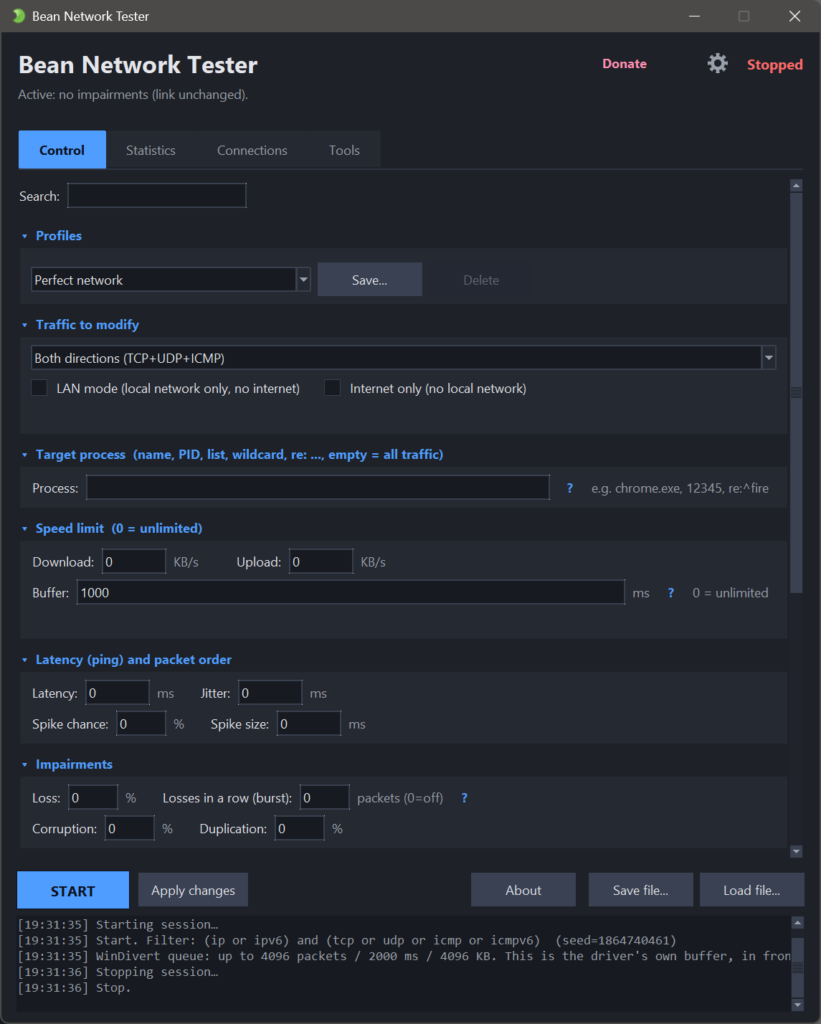
- Simulate the connection your users actually have. Choose a ready-made profile like congested office Wi-Fi, a mobile network dropping from LTE to 3G, a tunnel blackout, a failing DNS, an overloaded game server, or a connection that dies in the middle of an upload – or dial in your own latency, loss and bandwidth. Apply it to everything, or aim it precisely at one app, IP address or port. Then save it, share it, or turn it into a timeline that changes over time.
- Made for testers, developers and network folks alike. Software QA engineers use it to reproduce connection-dependent bugs and prove the fix. Game developers use it to feel real lag, jitter and packet loss the way players do. Network engineers, sysadmins and support teams use it to recreate a customer’s poor connection and understand what went wrong. Because runs can be seeded and reproduced exactly, a bug you find once is a bug you can hand over with a precise repro.
- Built for automation too. Alongside the windowed app, Bean Network Tester has a full command-line mode with documented exit codes and machine-readable output, so you can run a network-degradation profile inside a CI/CD pipeline and fail the build when your app can’t cope.
- Private by design. Bean Network Tester sends no data anywhere. It captures traffic on your own machine and that data never leaves it – no telemetry, no tracking, no account required. It is free for both personal and commercial use.
Download it, run a preset, and watch your app meet the real world.
Network Testing Simulator:
- Add lag and jitter – fixed or random delay, plus occasional spikes.
- Drop, corrupt or duplicate packets – loss can arrive in bursts, the way a real wireless link fails.
- Cap download/upload speed – throttle to a set KB/s, with a buffer that adds queuing delay before it starts dropping.
- Tear connections down – TCP resets, a dead link, or new connections that never come up.
- Flap the link on and off – outages that come and go.
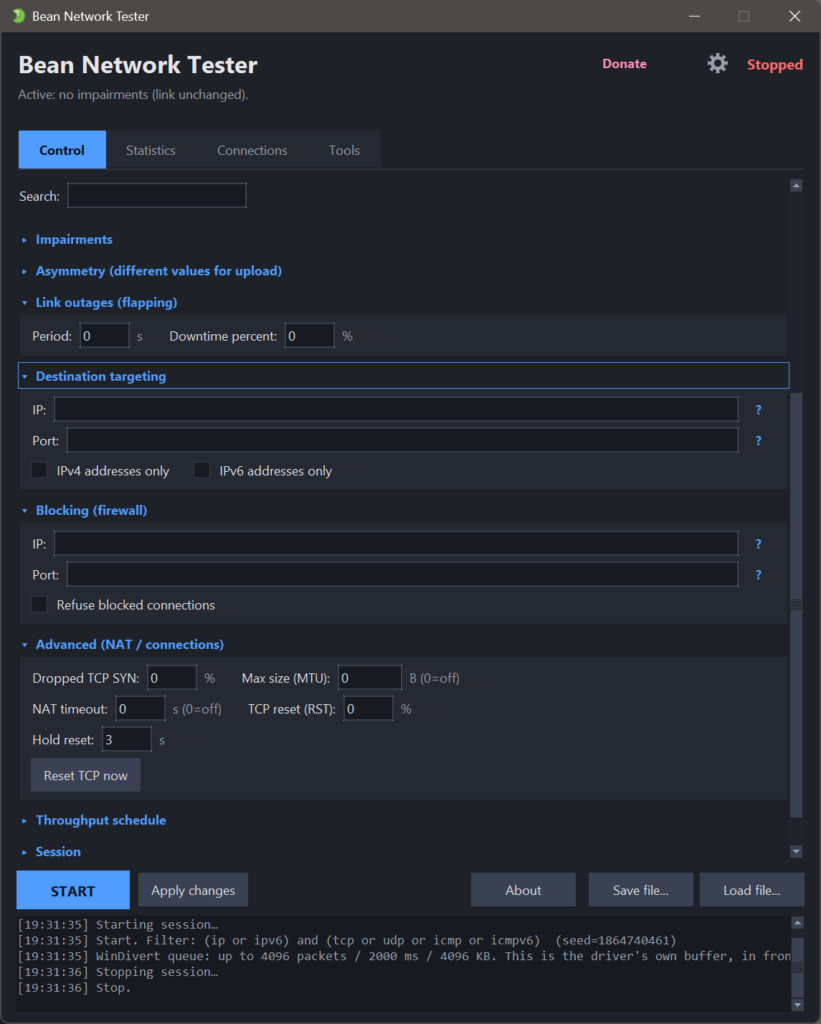
- Break the path, not only the packets – an MTU black hole and NAT-style idle timeouts.
- Block ports or IPs – a small built-in firewall, plus LAN mode (no internet) and internet only (no local network).
- Aim at one app – by process name, PID, IP, port, or one address family.
- Presets and saved profiles – 56k modem, Cafe WiFi, Satellite, In-flight Wi-Fi. , Train/metro (tunnels).4g.5g and more.
- Run scripted scenarios – timed steps that change the network on their own, comes with “failing-dns upload-drop-Midway overloaded-game-server mobile-lte-to-3g” scenarios and more
- Schedule the speed limit – a repeating timeline of rates, without writing a scenario.
- Reproducible by seed – replay the exact same random loss and jitter.
- Hand a bug over – a report with every setting, the counters and the command line that repeats the run.
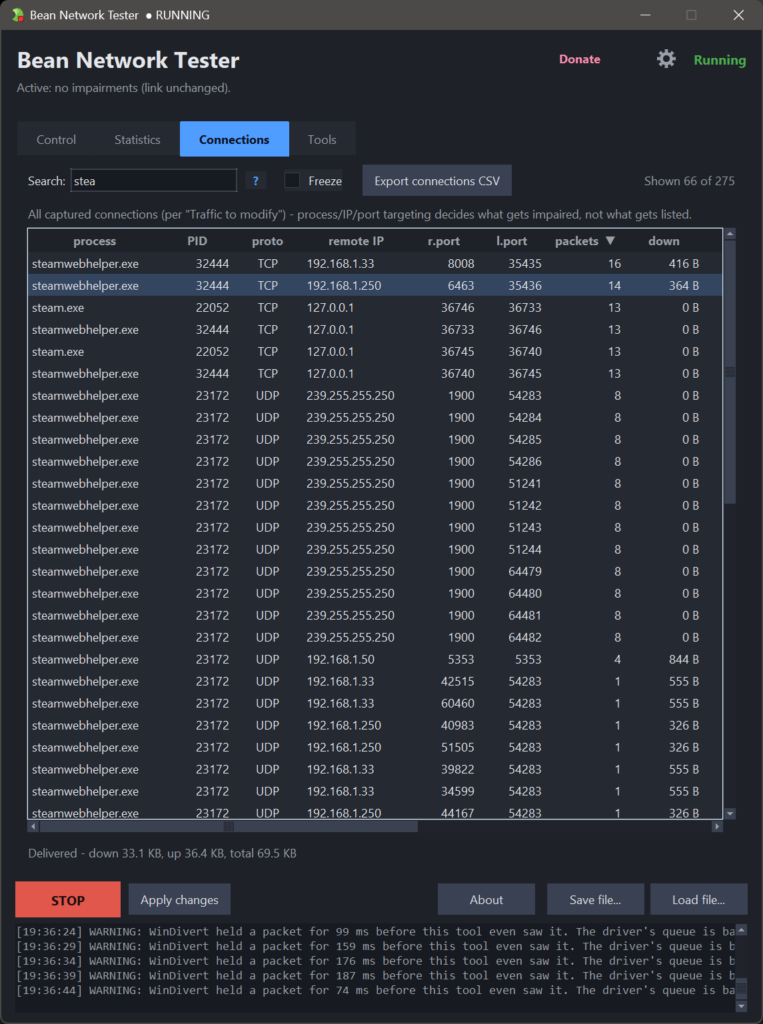
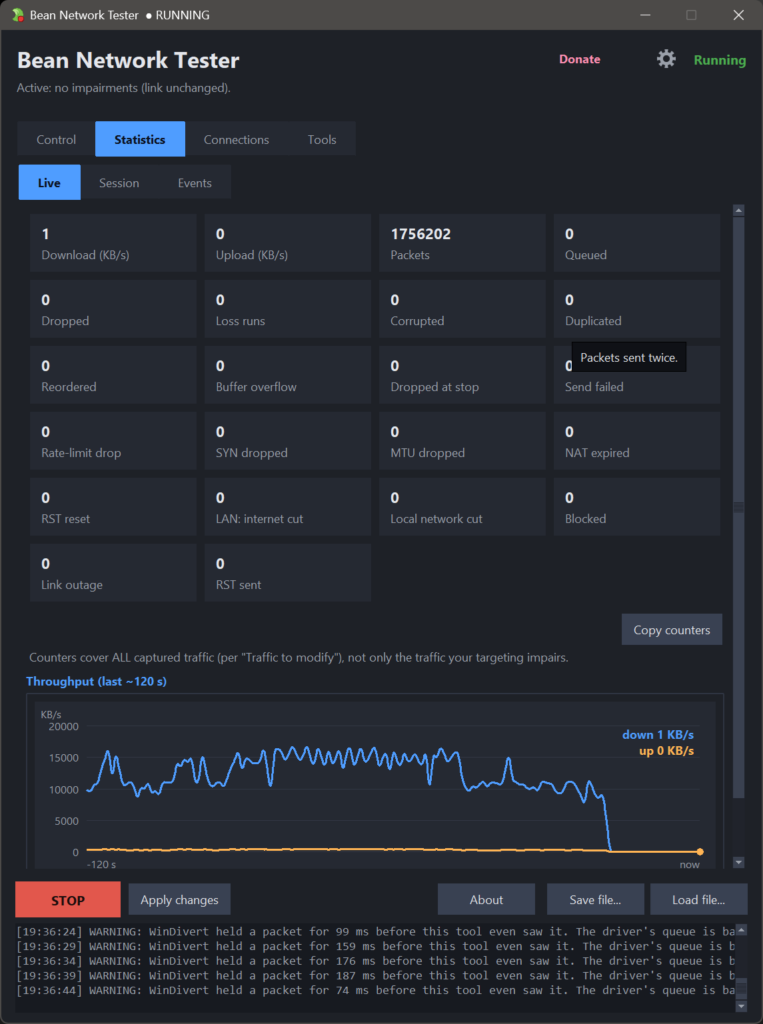
- Watch it live – chart, counters, a searchable connections table and an event log.
- Export to CSV – session statistics and a snapshot of the connections table.
- Command-line mode – scriptable for CI, with exit codes and JSON output.
- No telemetry, fully offline – sends no data anywhere.
- Tools – built-in tools: connections and port check
Free for personal and commercial use.
Bean Network Tester is developed with an AI-assisted workflow.